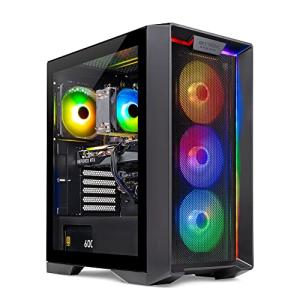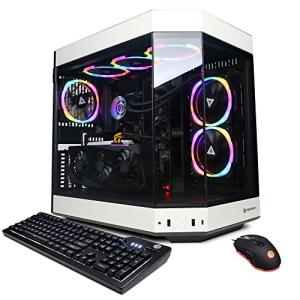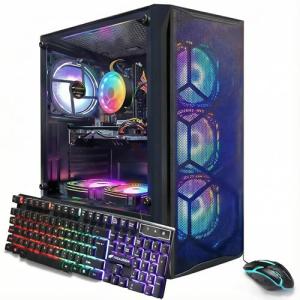
RGB lighting has transformed PC builds from purely functional systems into dynamic works of art. Beyond aesthetics, RGB lighting can serve as a tool for real‑time performance monitoring, providing visual feedback on system status. This article covers strategies for integrating RGB lighting into your high‑performance PC build to enhance both visual appeal and functionality.
Choose RGB components that integrate seamlessly into your build, such as LED strips, fans, and case lighting systems. Use software to synchronize lighting effects with system metrics like temperature and CPU load, giving you a vibrant, real‑time display of performance status. Establish consistent color schemes that align with your build’s overall theme.
Explore advanced features such as programmable lighting profiles and ambient modes that change based on system activity. Experiment with different lighting patterns and intensities to achieve a balance between dynamic feedback and overall aesthetics.
Integrating RGB lighting into your PC build elevates the system’s aesthetics while providing useful performance insights. With careful planning and advanced customization, you can create a visually striking and functional system that enhances both style and functionality.
The Ultimate Guide to RGB Lighting in High-Performance PC Builds
Introduction
RGB lighting has evolved from optional flair into a powerful tool for modern PC enthusiasts. Beyond aesthetic customization, addressable LEDs can relay system information at a glance—temperature, CPU load, and more—through synchronized color changes. This guide explores every step of integrating RGB into your high-performance build, ensuring a balance of eye-catching visuals and useful performance feedback.
Why RGB Lighting Matters in Modern PCs
- Real-time visual cues on CPU/GPU temperature, fan speed, and load
- Immersive gaming experiences via in-game effect synchronization
- Personal branding and style reinforcement through custom color themes
- Enhanced resale and showcase value by demonstrating clean cable management
Implementing RGB Lighting in Your Build
1. Choosing the Right RGB Components
- LED Strips: Flexible WS2812B or ARGB strips for case edges and interiors
- RGB Fans: 120mm–140mm fans with individually addressable LEDs
- AIO CPU Coolers: Units featuring illuminated pumps and radiator fans
- RGB RAM & GPU Backplates: Accent lighting for memory modules and graphics cards
Aim for parts that adhere to 5V ARGB or 12V RGB header standards to ensure seamless control and synchronization.
2. Positioning and Cable Management
- Conceal LED strip wiring behind the motherboard tray or beneath the PSU shroud
- Secure fan and LED cables with Velcro straps or cable combs to preserve airflow
- Test all signal lines before final assembly to verify polarity and addressability
Tidy cabling prevents signal interference and flickering while delivering a professional finish.
3. Synchronization Software
| Software | Compatible Brands | Key Features |
|---|---|---|
| ASUS Aura Sync | ASUS, Corsair, NZXT | Scene modes, temperature alerts |
| MSI Mystic Light | MSI, Thermaltake | Music mode, per-zone color control |
| Gigabyte RGB Fusion | Gigabyte | BIOS sync, reactive lighting |
| Corsair iCUE | Corsair, Lian Li, NZXT | Advanced macros, performance mapping |
For mixed-brand setups, consider third-party utilities like OpenRGB to unify control under a single interface.
Advanced Customization Techniques
Programmable Lighting Profiles
- Temperature-Based:
- Cool blue under 50 °C
- Warm orange or red above 70 °C
- Workload-Driven:
- Soft ambient for productivity
- Pulsing effects during gaming or video renders
- Time-Based:
- Sunrise-to-sunset color transitions
- Dimmed night mode to reduce blue light
Ambient Reactive Lighting
- Sound Visualization: LED pulses synced to system audio or microphone input
- Smart Home Integration: Link RGB zones to Philips Hue or HomeKit ecosystems
- Screen Sampling: Capture on-screen colors for an Ambilight-style effect
Balancing Performance Feedback and Aesthetics
- Use gradual fades (500ms–1s) to minimize eye strain
- Map critical metrics to vivid colors and secondary metrics to subtle hues
- Reserve dynamic rainbow effects for idle or showcase modes only
Thoughtful implementation ensures informative feedback without distracting from your core tasks or stream.
Troubleshooting Common RGB Issues
Flickering LEDs
- Verify ground and data pin alignment
- Confirm PSU wattage can handle all RGB components
- Update firmware and RGB drivers
Zone Desynchronization
- Standardize on one software suite when possible
- Use ARGB splitters or active repeaters for long runs
Software Conflicts
- Disable unused RGB apps in startup settings
- Assign separate headers to each control application
Inspiring RGB Build Examples
- Minimalist White: Pastel fades on white fans and cables; subtle liquid-loop glow
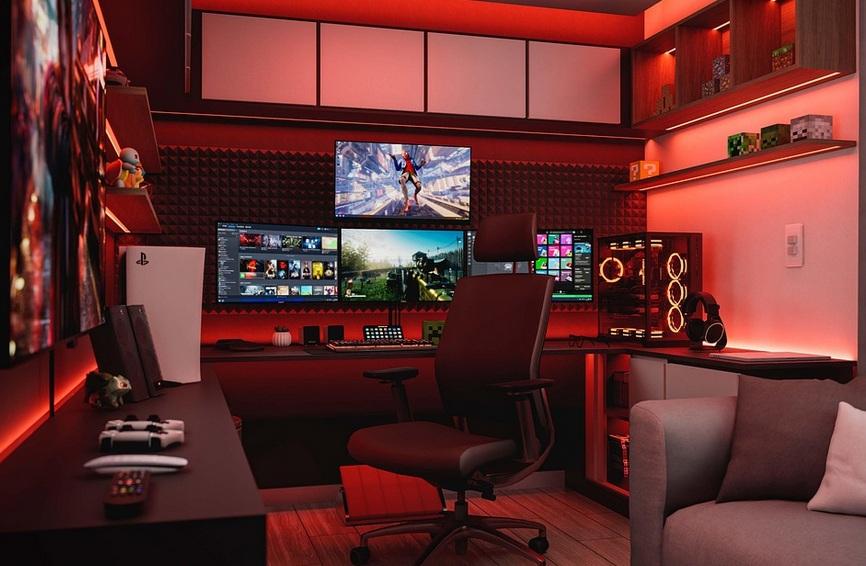
- Gaming Battlestation: High-contrast red & black theme; combat-alert strobing
- Content Creator Showcase: Lighting tied to webcam scenes; adjustable studio-light color temps
Future Trends in PC LED Lighting
- MicroLED Integration: Fine-grained illumination built into motherboards and GPUs
- AI-Driven Profiles: Automatic color calibration based on ambient light
- Wireless Ecosystems: Bluetooth or Zigbee controllers for clutter-free setups
Conclusion
Integrating RGB lighting into your high-performance PC build elevates both form and function. From component selection and cable management to advanced profiles and troubleshooting, every detail contributes to a system that’s as informative as it is beautiful. Embrace these strategies and let your rig shine—literally.