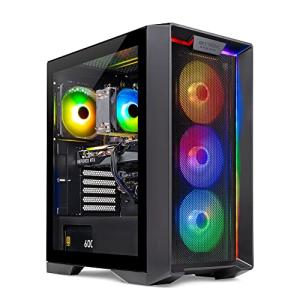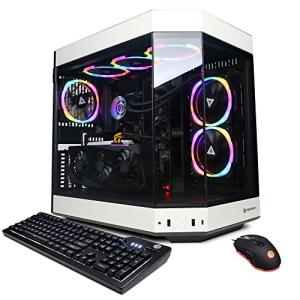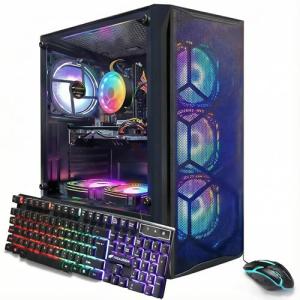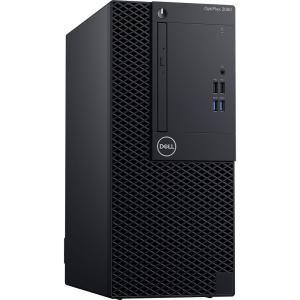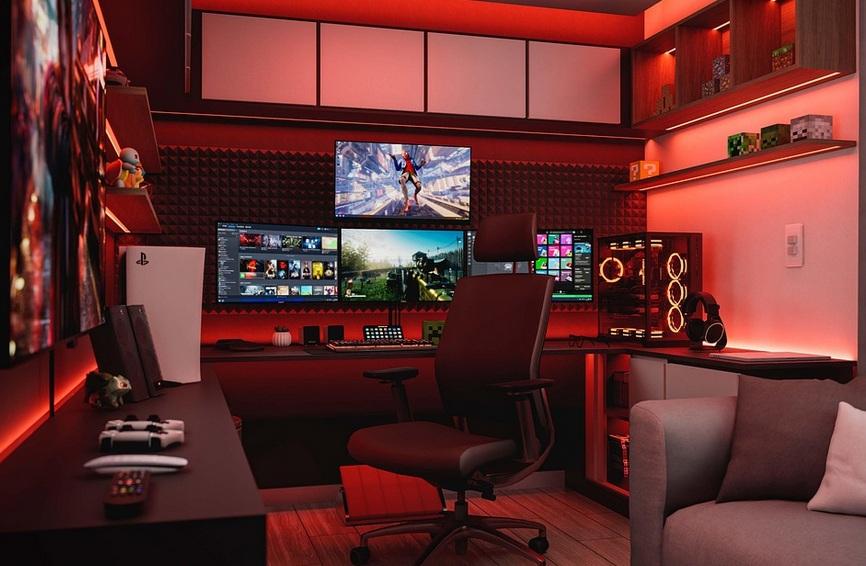
When you’re on the hunt for the Best High-Performance PCs, keep an eye out for some key features that can really make or break your experience. You want a machine that can handle everything from gaming to heavy-duty tasks, so let’s break down what to look for.
First off, check the processor. A powerful CPU makes a huge difference. Look for Intel’s latest i7 or i9 series or AMD’s Ryzen 7 or 9. These will give you the speed and efficiency you need, especially for multitasking or gaming at high settings.
Next, consider RAM. Aim for at least 16GB, but if you can swing it, 32GB takes things to the next level. This amount of memory lets you run multiple applications smoothly without lagging. If you’re into gaming or heavy editing, it’s a must.
Don't forget about the storage. An SSD (Solid State Drive) is your best friend here. It boots up your PC in seconds and loads programs faster than traditional HDDs. Having at least 512GB will give you plenty of space for games, files, and software.
Lastly, graphics matter. If you love gaming or graphics work, a solid GPU is essential. Look for NVIDIA’s RTX series or AMD’s Radeon RX series. These GPUs deliver stunning visuals and can handle the latest games with ease, making them a vital component of the Best High-Performance PCs.
Best Brands to Consider
When searching for the best high-performance PCs, you’ll come across some standout brands that consistently deliver top-notch quality and performance. Let’s dive into a few that are worth your time and money.
Alienware is a fan favorite, especially among gamers. Their PCs have a distinct, futuristic design and pack a punch in terms of performance. With customizable features and powerful components, they handle the latest games and demanding applications effortlessly.
HP Omen has been making waves as a competitive choice for gamers and creators alike. The sleek design, combined with high-performance hardware, ensures smooth gameplay and efficient multitasking. Plus, their pricing is often more budget-friendly than some competitors.
CyberPowerPC is perfect if you’re looking for a balance between performance and price. They offer a variety of customizable PCs suited for gaming, video editing, and other heavy tasks. You can pick exactly what you want, making it easy to get a system tailored to your needs.
ASUS ROG stands out with their innovative technology and eye-catching designs. These machines are engineered for extreme performance, especially for gaming enthusiasts. You'll find everything from robust cooling systems to top-tier GPUs in their lineup, making them some of the best high-performance PCs on the market.

Lenovo IdeaPad 3 Touchscreen Laptop, Intel i5, 20GB RAM
Experience smooth multitasking and vibrant visuals with this powerful touchscreen laptop
Product information
£823.50
Product Review Score
4.74 out of 5 stars
107 reviewsProduct links
Budget Options for Gamers
Gamers, we know how important it is to get everything you can out of your setup without breaking the bank. You don’t need to spend a fortune to get some of the Best High-Performance PCs. There are excellent options that provide great performance at budget-friendly prices.
First, consider a PC with a solid CPU and decent graphics card. Look for options like the AMD Ryzen 5 or Intel Core i5 paired with NVIDIA GTX 1660 or AMD Radeon RX 580. These components strike a balance between performance and price, making them perfect for gaming without emptying your wallet.
Another excellent choice is a pre-built gaming PC. These often come equipped with all the components you need, and you can find some great deals if you keep an eye out. Brands like HP, Dell, and CyberPower offer budget-friendly models that pack a punch. Plus, they typically come with warranties, giving you peace of mind.
If you’re comfortable building your own rig, that’s another route to consider. You can often find deals on parts, especially if you keep an eye on sales or consider buying used components. A good combination of a mid-range GPU and a solid power supply will set you up nicely. Just remember to aim for at least 16GB of RAM for smooth multitasking and gaming.
Always check for reviews before making a decision. Online communities and forums are great resources for getting real opinions on performance and reliability. Make sure whatever you choose can handle the games you want to play while still being one of the Best High-Performance PCs in your budget range!
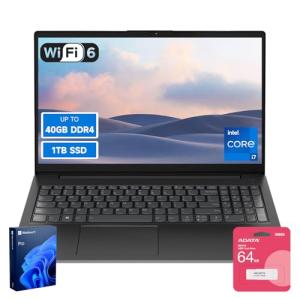
Lenovo V15 i7 Laptop with 40GB RAM & 1TB SSD
Experience lightning-fast performance and plenty of storage for all your gaming and productivity needs
Product information
£595.15
Product Review Score
4.61 out of 5 stars
41 reviewsProduct links
Upgrading Your Existing Setup
Thinking about upgrading your current setup? You’re definitely not alone! Many gamers and creators want to squeeze every bit of performance out of their machines. Upgrading can boost your speed and make everything feel smoother. Let’s dive into what you can do.
First, consider adding more RAM. If you’re running heavy applications or multitasking like a pro, extra memory can make a big difference. It’s one of the simplest upgrades and can give your computer that much-needed kick. Look for at least 16GB if you’re into gaming or heavy editing. If you’re looking for the Best High-Performance PCs, high-speed RAM really helps.
Next up is storage. Swapping out a traditional hard drive for a solid-state drive (SSD) can massively improve load times. Games and applications will start up much faster, and your system will feel snappier overall. If you have room, consider a combo setup: use an SSD for your operating system and a larger HDD for your files.
Don’t forget about your graphics card! If you’re into gaming or 3D work, upgrading to a better GPU can turn your setup into one of the Best High-Performance PCs out there. Just make sure your power supply can handle the new card and that it fits in your case. This can save you from compatibility headaches later on.
Lastly, keep an eye on your cooling setup. If you’re pushing your machine harder, good airflow is crucial. Clean out dust from your fans or invest in a better cooling system to keep temperatures low and performance high. A well-cooled PC runs smoother and lasts longer!